
Recently I had to copy the website home page so that we could run some tests under a test folder. I quickly realized that Sitecore does not provide an out-of-the-box way to duplicate/copy a page without its children.
For most pages, you could copy everything and then manually delete what you don’t need. But for a home page that can have thousands of child items, that approach is simply not practical.
On top of that, I didn’t just want to copy the page, I also wanted to copy its data source items and repoint them to the new page so I could safely experiment without impacting the original home page.
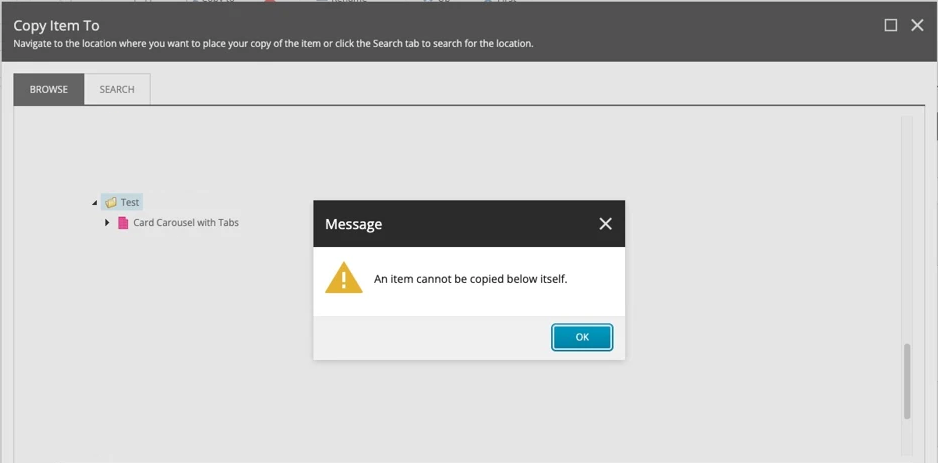
After looking around for options, it became clear that the safest and most controlled way to do this was through a PowerShell script. I spent some time putting one together that is reusable in most cases and safe to run even in production, since it only touches the newly copied item and does not affect the original page or its data source items.
I thought I’d share the approach, as it can save a lot of time.
Code First Thoughts Later
The code is pretty self explanatory, you can change the variables up top to your Item path, destination and local data source folder name and it should be good to go
$SourcePath = "master:/sitecore/content/Demo/home"
$DestinationParentPath = "master:/sitecore/content/Demo/home/Test"
$NewName = "CopyOfHomePage"
$DatasourceFolderName = "Page Components"

$source = Get-Item $SourcePath
$destParent = Get-Item $DestinationParentPath

Write-Host "Starting copy process from: $SourcePath to: $DestinationParentPath"

$existing = Get-Item -Path "$DestinationParentPath/$NewName" -ErrorAction SilentlyContinue
if ($existing) {
    Write-Host "SKIP: Item already exists at destination -> $DestinationParentPath/$NewName"
    return
}

Write-Host "Copying item..."
Copy-Item -Path $source.Paths.FullPath `
          -Destination $destParent.Paths.FullPath `
          -Container

$copied = Get-Item "$DestinationParentPath/$($source.Name)"

Rename-Item -Path $copied.Paths.FullPath -NewName $NewName
$copied = Get-Item "$DestinationParentPath/$NewName"

Write-Host "Renamed copied item to: $NewName"

$dsSource = $source.Children | Where-Object { $_.Name -eq $DatasourceFolderName }

if ($dsSource) {
    Write-Host "Copying datasource folder: $DatasourceFolderName"

    Copy-Item -Path $dsSource.Paths.FullPath `
              -Destination $copied.Paths.FullPath `
              -Recurse
}

$newDsRoot = "$($copied.Paths.FullPath)/$DatasourceFolderName"
$oldDsRoot = "$($source.Paths.FullPath)/$DatasourceFolderName"

Write-Host "Updating rendering datasource references..."

$renderings = Get-Rendering -Item $copied -FinalLayout

$updatedCount = 0

foreach ($r in $renderings) {

    $id = $r.Datasource

    if ([Sitecore.Data.ID]::IsID($id)) {

        $db = [Sitecore.Data.Database]::GetDatabase("master")
        $dsItem = $db.GetItem($id)

        if ($dsItem -and $dsItem.Paths.FullPath -like "$oldDsRoot*") {

            $newPath = $dsItem.Paths.FullPath -replace [regex]::Escape($oldDsRoot), $newDsRoot
            $newItem = $db.GetItem($newPath)

            if ($newItem) {
                Set-Rendering -Item $copied -Instance $r -Datasource $newItem.ID -FinalLayout
                $updatedCount++
            }
        }
    }
}

Write-Host "Renderings updated: $updatedCount datasource reference(s) adjusted."

$homeItem = Get-Item $copied.Paths.FullPath

Write-Host "Validating datasource references under: $($homeItem.Paths.FullPath)"

$legacyCount = 0

Get-Rendering -Item $homeItem -FinalLayout | ForEach-Object {

    $id = $_.Datasource

    if ([Sitecore.Data.ID]::IsID($id)) {

        $dsItem = [Sitecore.Data.Database]::GetDatabase("master").GetItem($id)

        if ($dsItem -and $dsItem.Paths.FullPath -like "$oldDsRoot*") {
            $legacyCount++
        }
    }
}

Write-Host "Validation complete: $legacyCount legacy datasource reference(s) found."
Write-Host "DONE: $NewName successfully created at $($copied.Paths.FullPath)"
Link to Github: https://raw.githubusercontent.com/zaheer-tariq/Sitecore-Blog-Gists/refs/heads/main/PowerShell/Copy/CopyItemWithoutChildren.ps1
Key Challenge
The main issue is how Sitecore handles copying:
- If you copy an item normally, it brings all children
- If you try to copy just the item, you’ll likely hit this error:
Copy-Item : Container cannot be copied to another container. The -Recurse or -Container parameter is not specified.
This happens because Sitecore items are containers, and PowerShell needs you to explicitly decide how to handle children.
Approach
The idea is simple, control what gets copied instead of copying everything.
- Copy only the page (no children) Use the
-Containerflag: - Rename the copied item
- Copy only the datasource folder
- Update data source references to point to local folder for the newly copied item
- Run a validation before wrapping up
Happy Sitecoring 😊