
Using embedded code ASPX pages is a great way to run your custom code in a Sitecore instance without needing to do a full deployment. This also gives you the flexibility if you need to do something in Production and cannot deploy and do rapid build upload and test.
You can use Visual Studio to create and test this page in your local solution. You can copy the page to Sitecore Web Application in Internet Information Services (IIS) to /sitecore/admin/ or any other directory and access it through your CM URL as https://your-cm-hostname/sitecore/admin/MediaSize.aspx
In production or other environments where you may not have access to Sitecore directly, you can use Sitecore File Explorer tool https://your-cm-hostname/sitecore/shell/default.aspx?xmlcontrol=FileExplorer&sc_lang=en
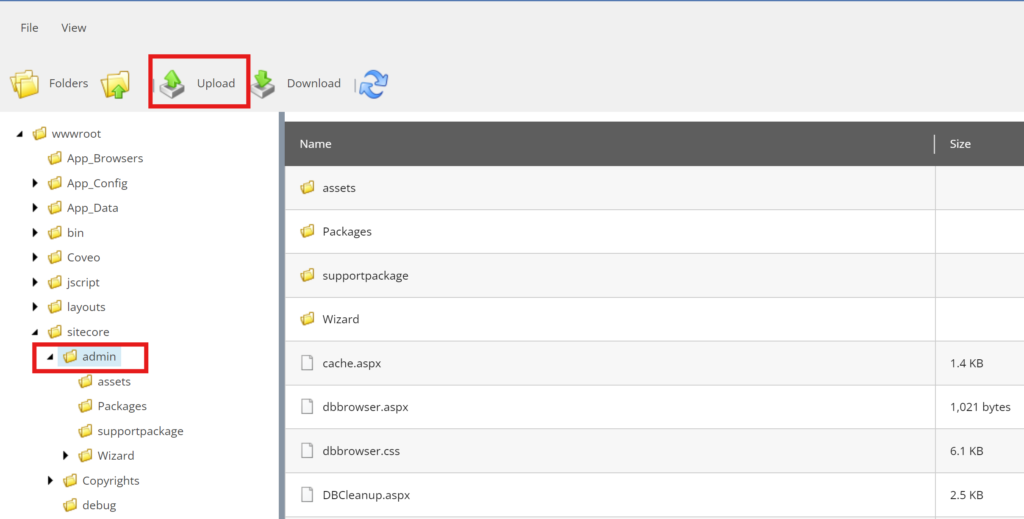
PRO Tip: If you cannot use admin folder you can try to use another folder such as Packages as some docker/Kubernetes environments do not allow you to copy and access files in Admin folder.